The mouth and jaw need to be visible. A pet looking away from camera has nothing to animate.
AI Pet Podcast · 4 min read
How to make an AI pet podcast
Turn one photo of your dog or cat into a talking podcast host — write the line, pick a voice, and get a video back.
Make my pet talkUpdated 2026-09-04
The short answer
Upload one clear photo of your pet, optionally generate a studio scene around it, then either type the line you want it to say or upload audio you already have. Pick a ready-made voice, or upload a short clip to clone one for this generation. Confirm the rights statement and generate. Output runs up to 8 seconds and is billed by duration, so 4,000 credits is the ceiling for one video. The result lands in your Library.
Step by step
- Start from one clear pet photo
Head and shoulders, facing the camera, well lit, no hands or other pets in frame. This matters more than anything else you choose later — the face is what has to move convincingly.
- Optionally build a scene around it
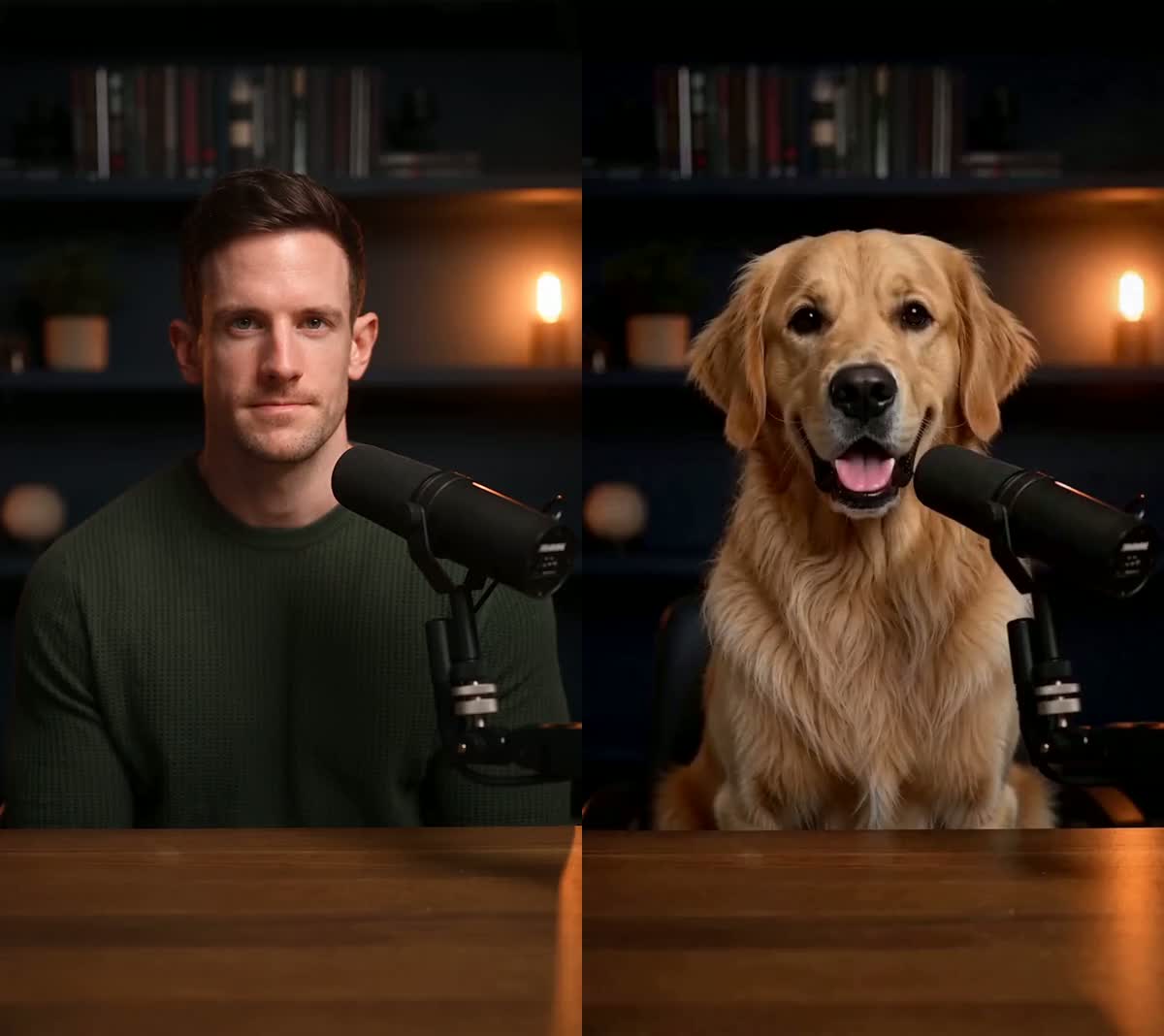
The scene step places your pet in a podcast studio using image generation, so you get a believable set instead of your living-room background. It is a separate, cheaper step than the video, and you can keep the scene you like.
- Give it something to say
Type a line and pick a voice, or upload audio you already own. Typed lines are synthesized for you. If you want a specific voice you have the rights to, upload a short clip and it is cloned for this generation only.
- Generate and save
Confirm you have the rights to the photo and the audio, then generate. Talking Photo is billed by output duration, so a shorter line costs less. The current ceiling is 8 seconds, which works out to 4,000 credits. If your text is too long for that limit you are told before generation starts, not after credits are spent. The finished video lands in your Library.
What makes a pet clip work
A crisp line lands better than a rambling one, and costs less. The ceiling is 8 seconds either way.
Two pets in frame means the model has to guess which one is talking.
Strong backlight silhouettes the face and removes the detail the model needs.
What actually makes a difference
A photo taken from standing height looks down at the animal and foreshortens the muzzle. Crouching to eye level gives a far better result.
The clips that land are short, opinionated and a little absurd. A paragraph of exposition is the fastest way to a boring video.
A studio scene reads as intentional; a kitchen counter reads as a home video. The scene step is much cheaper than regenerating the video.
Length is checked before anything is generated, so an over-long line is refused rather than silently truncated or charged for.
Questions
Does my pet need to be making a sound in the photo?
No. A still photo with a closed mouth is fine. The mouth movement is generated from the audio.
Can I use my own voice?
Yes. Upload a short clip and it is cloned for this generation. You must have the rights to the voice you upload.
How long can the video be?
It follows your audio, up to an 8-second ceiling. Because it is billed by output duration, a shorter clip costs less. 4,000 credits is the most one video costs at the current limit.
How long is my video kept?
Signed-in finished videos stay in your Library for 30 days. Using Keep on a creation removes that expiry date, so it stays until you delete it. Saved pets and scenes follow the storage rules shown in the product.
Related tutorials
Ready to try it?
Turn one photo of your dog or cat into a talking podcast host — write the line, pick a voice, and get a video back.
Make my pet talk